This section provides instructions on setting up and using the authenticated wireless LAN (KITnetX) for the first time on an Android device.
Step Guide
Enable the authenticated network connection (KITnet) in the user portal beforehand.
For detailed instructions, refer to Activating Services.
- Tap the Settings icon on the home screen.
- Tap Network & Internet.
- Turn on Wi-Fi.
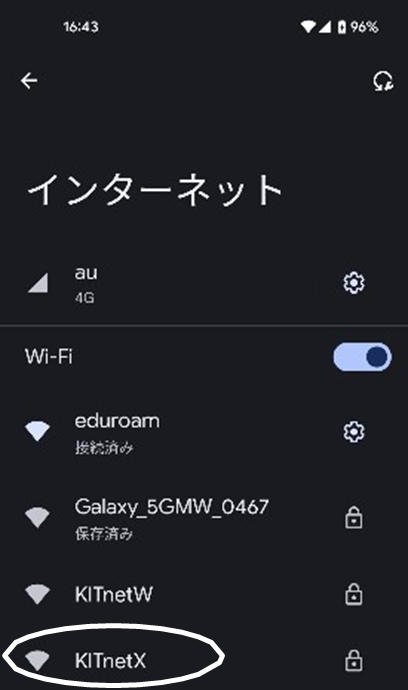
- Tap Wi-Fi, then select KITnetX from the available networks.
- Enter the required information as shown. Also refer to the attached table for details.
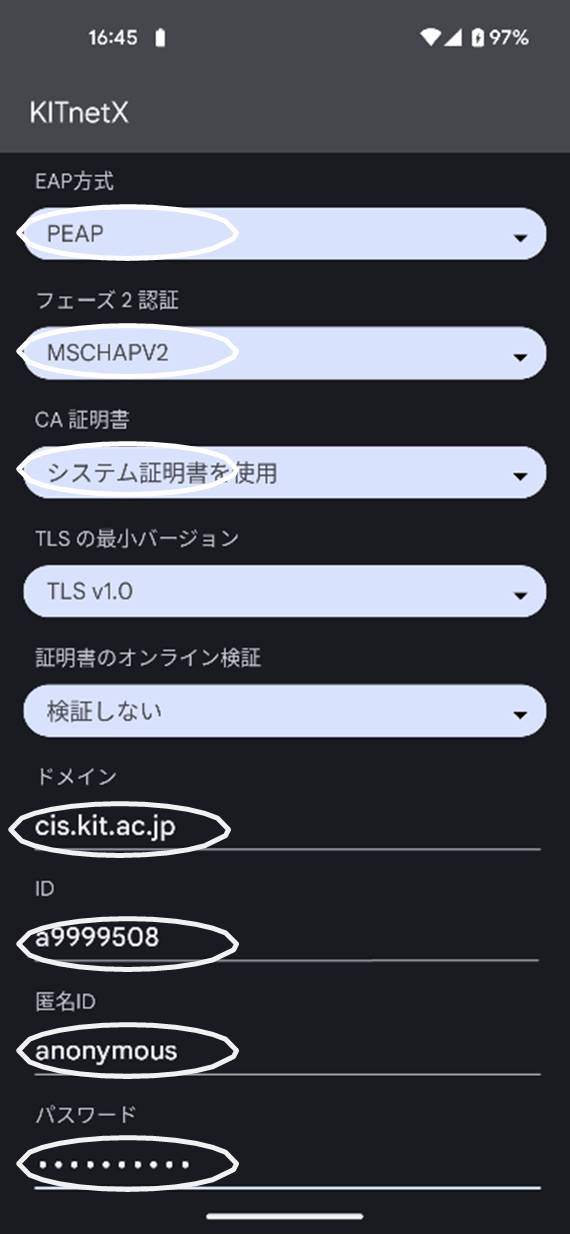
EAP Method PEAP Phase 2 Authentication MSCHAPV2 CA Certificate Use system certificate
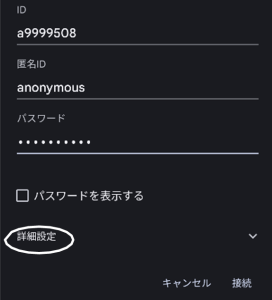
Domain cis.kit.ac.jp Anonymous Identity Enter any value - Tap Advanced options.
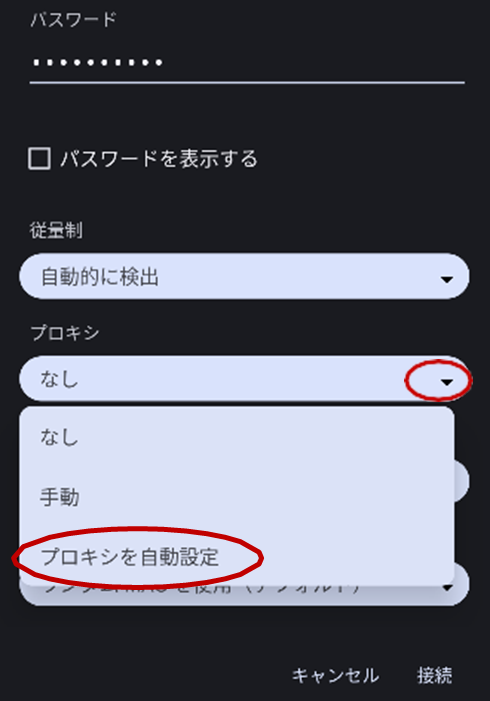
- Set Proxy to Proxy Auto-Config.
- Enter the following URL in the PAC URL field:
https://cis.kit.ac.jp/proxy.pac
Tap Connect to complete the setup.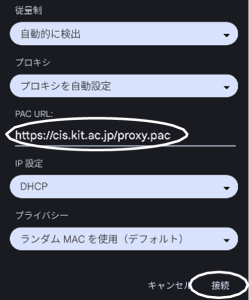
Also refer to the attached table for detailsAdvanced Settings: > Proxy Proxy Auto-Config
Advanced Settings: > PAC URL