This section provides instructions on utilizing a web proxy to access the Internet through the campus information network on Linux.
The screenshot is taken from Ubuntu 22.04.4 LTS. Depending on the version, the location you click on and message may vary slightly.
Step-Guide
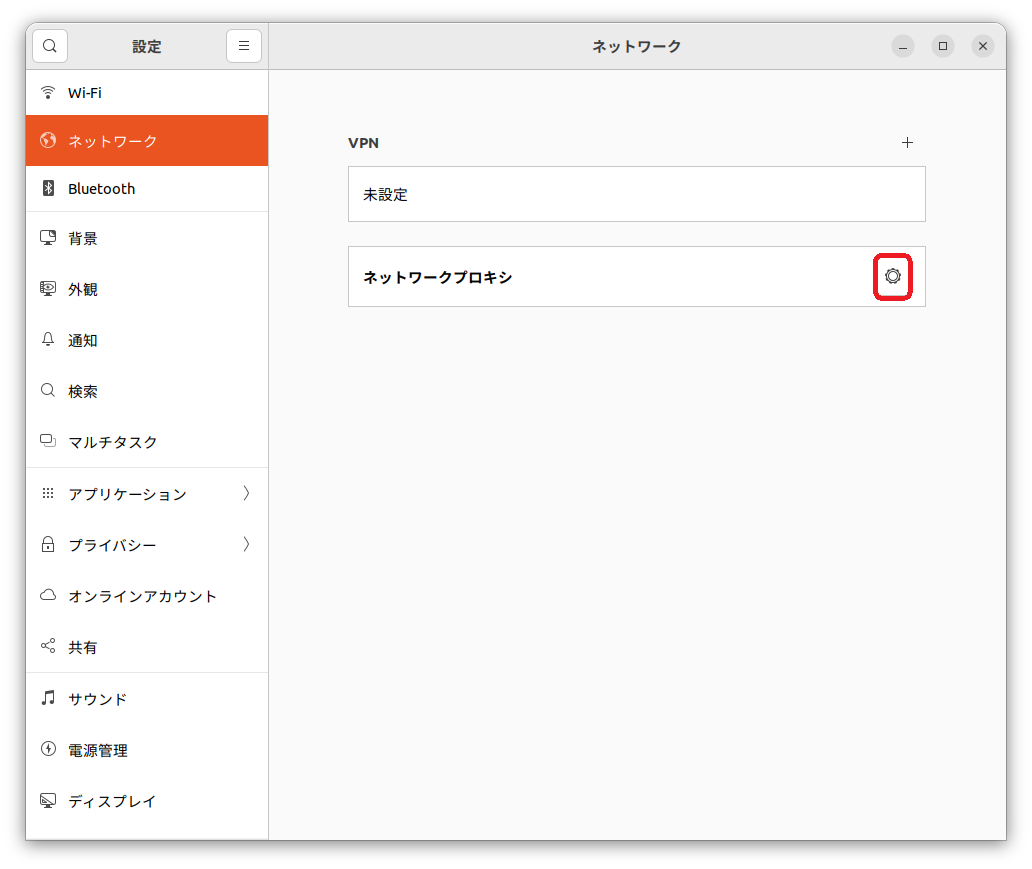
- Select "Network" and click the gear icon next to "Network Proxy."
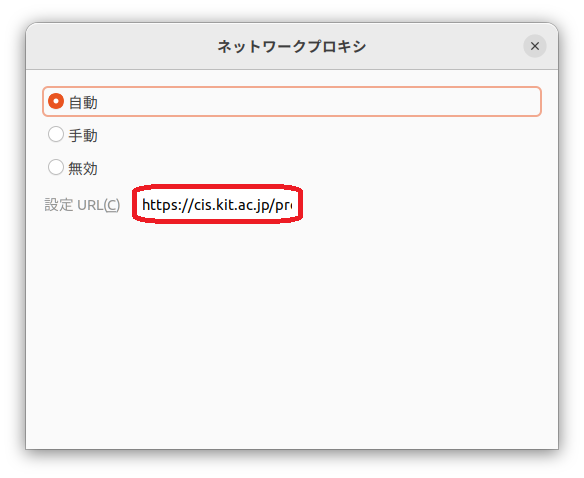
- Select "Automatic" and enter https://cis.kit.ac.jp/proxy.pac in the "Setting URL" field.